GEOBee documentation
GEOBee is a native desktop crawler for macOS and Windows. Point it at a site and it scores every URL across three lenses — SEO, AEO (Answer Engine Optimization), and GEO (generative visibility) — then hands you a ranked list of what to fix first. Crawls run on your machine and the results never leave it.
New here? Start with these
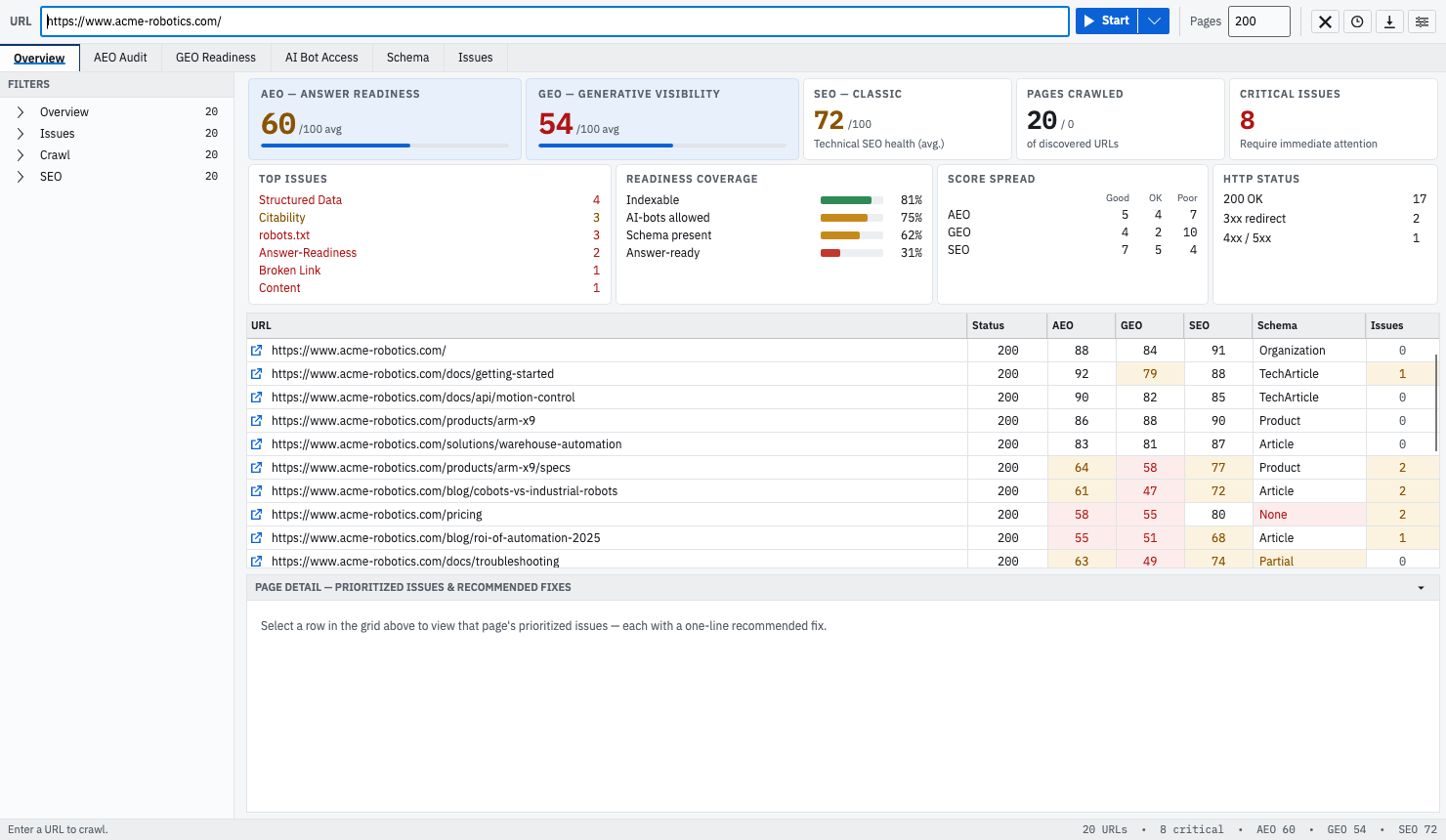
If you have never run GEOBee, read Getting started first, then Scan modes to choose how deep to crawl. Once you have results, The Overview & grid explains everything on screen.
All topics
Getting started
Install GEOBee, point it at a site, and run your first scored crawl in a couple of minutes.
Scan modes
Quick static crawl versus deep Lighthouse render — what each does and when to use it.
Crawl settings
Page limits, concurrency, timeouts, path filters, and tunable scoring thresholds.
The Overview & grid
The five summary cards, the insights band, and every column in the audit grid.
Findings & fixes
Severity levels, the per-page detail tabs, and the recommended fix on every issue.
The three lenses
The exact SEO, AEO, and GEO signals GEOBee measures, and how each score is built.
Projects & compare
Saved crawls, re-crawling a domain, and diffing two crawls page by page.
Exporting data
Take the full scored crawl out as CSV or JSON, findings and fixes included.
MCP server
Drive GEOBee from your agent over the Model Context Protocol.
localhost safely.