The Overview & grid
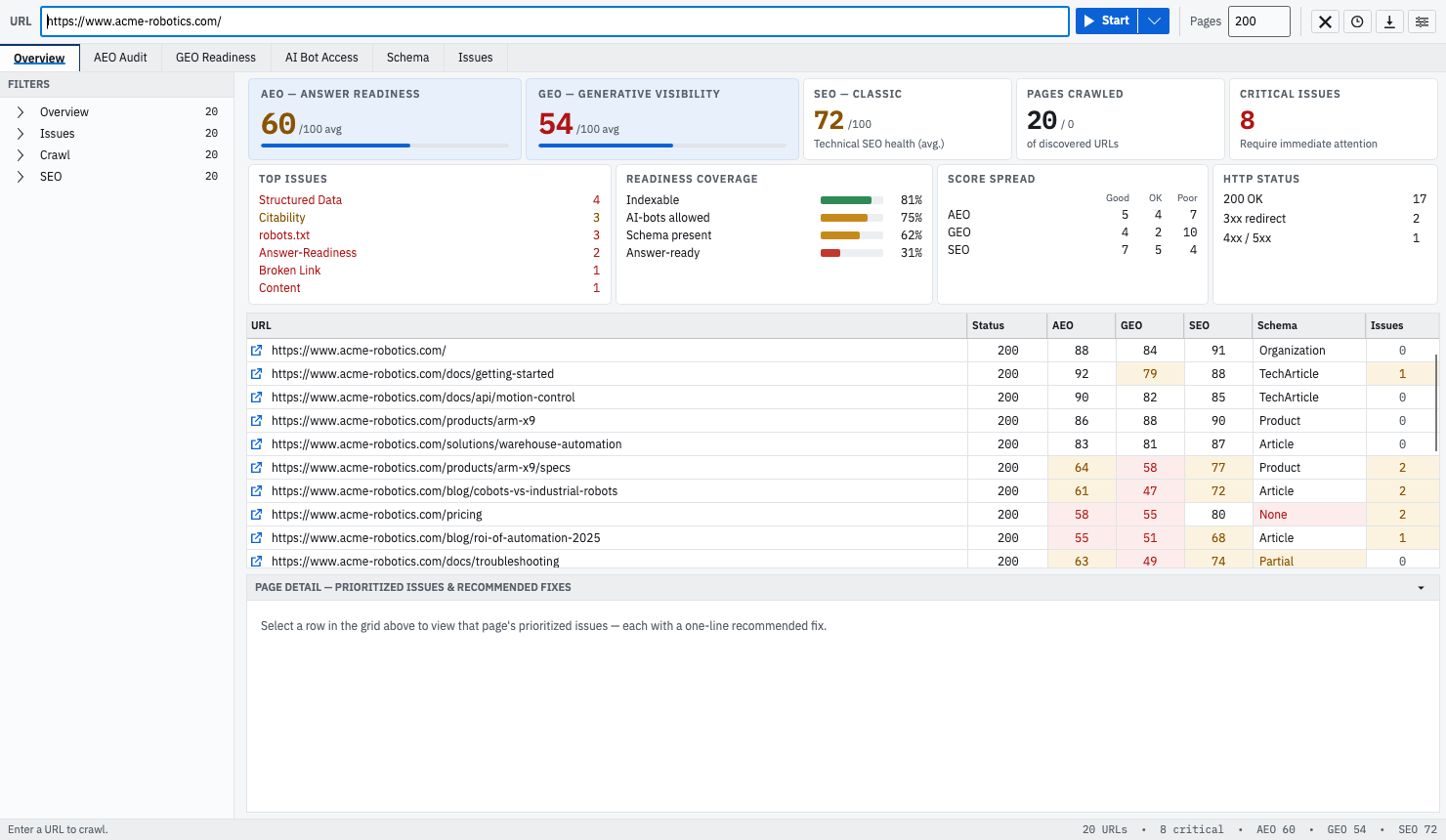
When a crawl finishes, GEOBee gives you three views of the same data: a high-level Overview, an insights band of distributions, and a dense audit grid with every URL scored.
How scores are banded
Every lens score is 0–100, and GEOBee colours each one into three bands:
| Band | Score | Meaning |
|---|---|---|
| Pass | 80–100 | Healthy — green. |
| Warning | 60–79 | Needs attention — amber. |
| Critical | 0–59 | Fix first — red. |
The Overview cards
Five summary cards sit at the top. AEO and GEO lead because they are what sets GEOBee apart.
| AEO — Answer readiness | Average AEO score across crawled pages, out of 100. |
| GEO — Generative visibility | Average GEO score across crawled pages, out of 100. |
| SEO — Classic | Average technical SEO health across crawled pages. |
| Pages crawled | How many URLs were scored, out of the URLs discovered. |
| Critical issues | Count of issues that require immediate attention. |
The insights band
Below the cards, four panels summarise the whole crawl at a glance:
- Top issues — the most common finding categories, ranked by how many pages they affect.
- Readiness coverage — the share of pages that are indexable, allow AI bots, carry schema, and are answer-ready.
- Score spread — how AEO, GEO, and SEO split across Good (≥80), OK (60–79), and Poor (<60).
- HTTP status — the mix of 200, 3xx, 4xx, and 5xx responses.
The audit grid
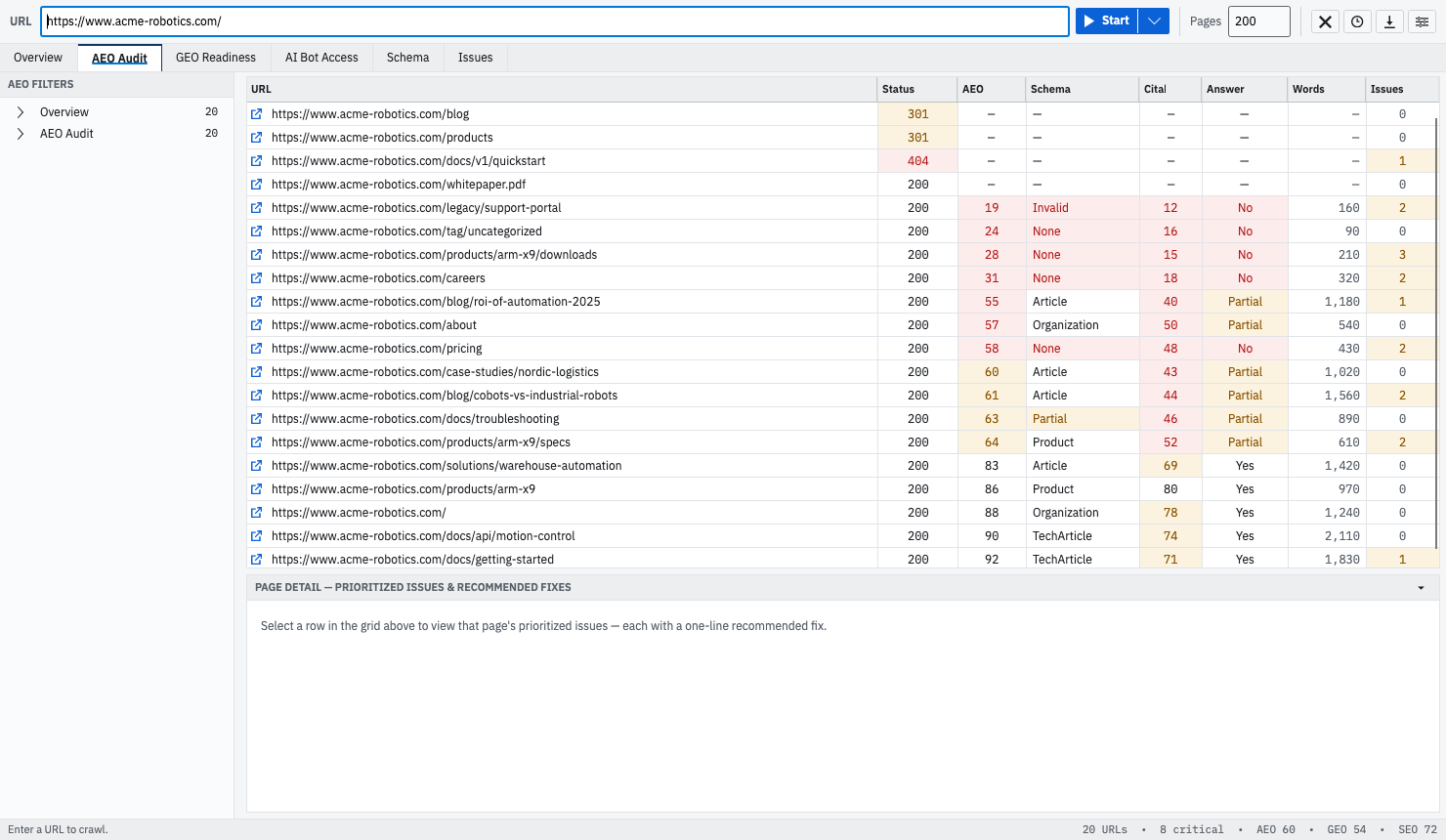
The grid scores every crawled URL, one row per page, with problems tint-filled so they stand out. These are the columns:
| Column | What it shows |
|---|---|
| URL | The page address. |
| Status | HTTP status — 2xx passes, 3xx warns, 4xx/5xx are critical. |
| AEO | Answer Engine Optimization score, 0–100. |
| GEO | Generative visibility score, 0–100. |
| SEO | Classic technical SEO score, 0–100. |
| Schema | Detected structured-data type, or None / Invalid / Partial. |
| Citability | How quotable the page is, from the GEO citability signal. |
| Answer | Answer-ready state: Yes, Partial, or No. |
| AI Bots | Whether AI crawlers are allowed to reach the page. |
| Index | Whether the page is indexable. |
| Words | Word count of the main content. |
| Issues | Number of findings on the page. |
— ("not scored") so a 301 or a 404 can't
drag your averages down or hide behind a red that looks like a real failure.
Filtering and tabs
A tree on the left filters the grid with live counts — jump to indexable pages, errors, pages missing schema, blocked AI bots, or any issue category. The tabs across the top — Overview, AEO Audit, GEO Readiness, AI Bot Access, Schema, and Issues — reframe the same crawl around one lens at a time. Right-click any row to Copy URL, Copy row, or Open in browser.
Schema at a glance
The Schema column shows each page's structured-data state — the detected type (such as Organization, Product, or FAQ), or None, Invalid, or Partial when it is missing or incomplete. The full list of types and how they're validated is in The three lenses.